

As a podcaster, I know how key it is to make your show sound professional. Keeping the volume consistent across episodes is vital. If the volume changes a lot, it can upset your listeners and hurt their experience.
Keeping the loudness steady, using LUFS, makes your podcast easy to listen to and engaging. This consistency helps build trust with your audience. It keeps them coming back for more.
Key Takeaways
- Consistent loudness enhances the listener experience.
- LUFS is a crucial metric for measuring loudness.
- A professional-sounding podcast builds trust with the audience.
- Variable volume can be jarring for listeners.
- Consistent loudness is key to a engaging podcast.
Understanding LUFS and Why It Matters for Your Podcast
LUFS, or Loudness Units relative to Full Scale, is a key concept in audio production. It directly impacts podcast quality. As a podcaster, understanding LUFS is vital for ensuring your episodes sound professional and consistent across different platforms.
What Are LUFS in Audio Production?
LUFS is a measure of the average loudness of audio content. It’s different from peak meters, which measure the loudest moment. LUFS takes into account the overall perceived loudness by the human ear.
This makes it an essential metric for podcasters. They want to ensure their content is comfortably listened to without sudden volume jumps.
The Difference Between LUFS, RMS, and Peak Levels
LUFS, RMS (Root Mean Square), and peak levels are different ways to measure audio loudness. RMS measures the average level of an audio signal. Peak levels indicate the loudest moment.
LUFS, however, provides a more accurate measure of how loud the content sounds to listeners. Understanding these differences is crucial for achieving consistent audio quality.
Loudness Normalization vs. Peak Normalization
Loudness normalization adjusts the overall level of an audio file based on its LUFS measurement. This ensures that different episodes or tracks play back at a consistent volume. Peak normalization, on the other hand, adjusts the level based on the peak level.
This can lead to inconsistent loudness between tracks. For podcasts, loudness normalization is preferred. It provides a more consistent listening experience.
| Normalization Method | Adjustment Basis | Result |
|---|---|---|
| Loudness Normalization | LUFS Measurement | Consistent Volume |
| Peak Normalization | Peak Level | Inconsistent Loudness |
The Listener Experience: How Inconsistent Loudness Affects Your Audience
Keeping the volume the same is key for a great podcast listening experience. If the volume changes a lot between episodes, it can mess up the listener’s enjoyment.
The Frustration of Volume Jumping Between Episodes
Big changes in volume can be really annoying. Listeners might have to keep changing the volume. This gets even worse when listening to many episodes in a row.
How Consistent Audio Builds Trust and Professionalism
Good audio quality, like the same volume, makes your podcast look professional. It shows you care about how your listeners feel.
Listener Retention and Its Connection to Audio Quality
Keeping the volume the same helps keep listeners coming back. When the audio is always good, people are more likely to keep listening and come back for more.
| Aspect | Inconsistent Loudness | Consistent Loudness |
|---|---|---|
| Listener Experience | Frustrating due to volume jumping | Engaging and professional |
| Listener Retention | Lower retention due to poor audio quality | Higher retention due to consistent quality |
| Professional Image | May appear unprofessional | Enhances professional image |
Industry Standards for Podcast Loudness Levels
Podcasters need to follow industry standards for loudness. This makes sure their content works well on different platforms. The loudness is measured in Loudness Units relative to Full Scale (LUFS). This is now the key standard for making audio levels consistent.
The -16 LUFS Standard for Podcast Distribution
The -16 LUFS standard is widely used for podcast distribution. It means the average loudness of a podcast should be about -16 LUFS. Keeping this level helps your podcast sound the same on all devices.
Platform-Specific Requirements: Apple, Spotify, and YouTube
Even though -16 LUFS is common, each platform has its own rules. For example, Apple suggests -23 LUFS for podcasts. Spotify and YouTube also have their own ways of normalizing audio. Knowing these rules is key for the best playback.
True Peak Targets and Why They Matter
True peak levels are also crucial. True peak is the highest point of an audio signal’s amplitude. It’s important to keep true peak levels under -1 dBTP to avoid distortion and ensure quality audio.
Following these standards helps podcasters make their content sound polished and professional. This gives listeners a better experience.
Essential Tools for Measuring and Monitoring LUFS
As a podcaster, the right tools for measuring LUFS are key. They help ensure your podcast sounds professional. Using the right tools is the first step to achieving this.
Free LUFS Meters: Youlean, Melda Production, and VLC
For those on a budget, there are free LUFS tools. Youlean offers a free LUFS meter plugin for major DAWs. Melda Production’s free plugins include a loudness meter known for its accuracy. Also, VLC media player can measure LUFS and is great for podcasters.
Professional Options: iZotope Insight, Waves WLM
For advanced features, plugins like iZotope Insight and Waves WLM are top choices. They offer detailed loudness metering. These tools help you adjust your audio to meet industry standards.
Built-in DAW Loudness Measurement Tools
Many DAWs have built-in loudness tools. For example, Ableton Live and Logic Pro have LUFS meters. Knowing how to use these tools can make your workflow better and improve your podcast’s sound.
Using these tools, podcasters can accurately measure and adjust their audio. This ensures a consistent and professional listening experience.
My Podcast Sound Design Workflow for Consistent Loudness
As a podcaster, I’ve learned that keeping the volume consistent is crucial. It keeps listeners engaged and shows professionalism in podcasting.
Setting Up Your Recording Environment for Consistent Audio
To get consistent audio, start with a good recording setup. Choose the right microphone and optimize your room’s acoustics. A high-quality condenser microphone, like the Blue Yeti, can greatly improve sound quality.
Pre-Production Techniques That Improve Loudness Consistency
Pre-production is key for consistent loudness. Scripting, rehearsing, and setting recording levels are important. I script my introductions and rehearse to keep my volume steady.
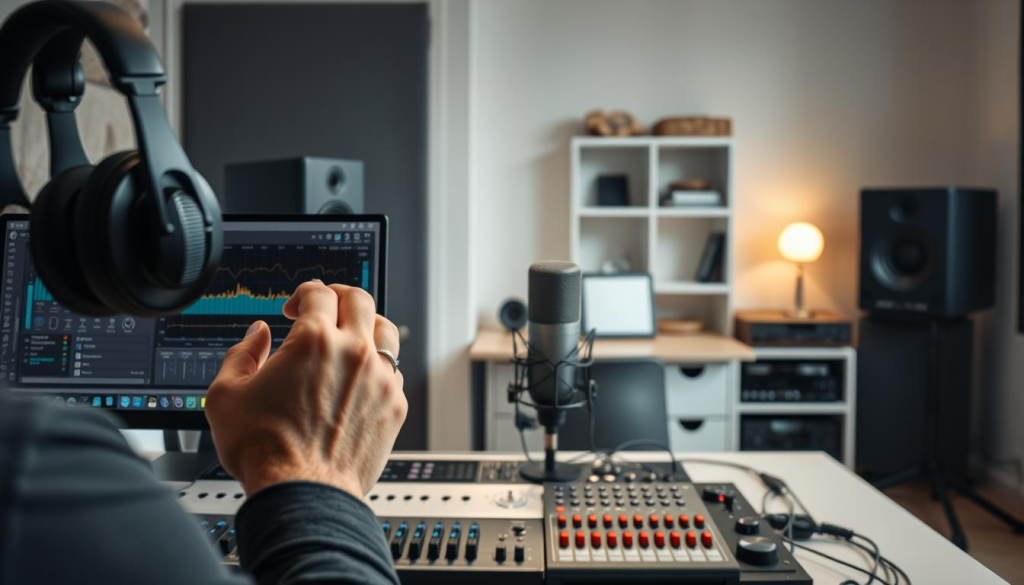
My Go-To Plugin Chain for Loudness Management
Effective loudness management needs the right plugin chain. My workflow includes compression and limiting to control dynamic range and prevent clipping.
Compression Settings for Spoken Word
For spoken word, I use a compressor with a 4:1 to 6:1 ratio and a threshold around -20 dB. This evens out my speech volume, making loud and soft parts consistent.
Limiter Thresholds for Podcast Audio
To avoid clipping and ensure safe audio, I set a limiter threshold at -0.5 dB. This catches sudden peaks and prevents distortion, making my podcast sound professional everywhere.
By sticking to this workflow, I’ve kept my podcast episodes at a consistent volume. This has improved the listener experience and shown my brand’s professionalism.
Step-by-Step Guide to Normalizing Your Podcast to Target LUFS
Normalizing your podcast to the target LUFS makes listening more enjoyable for your audience. This process involves several key steps. These steps help you achieve consistent audio quality across all episodes.
Analyzing Your Current Episode’s Loudness
The first step is to analyze your episode’s loudness. Tools like Youlean or iZotope Insight can measure the LUFS of your episode. These tools give you detailed insights into your audio’s loudness and help you find areas for improvement.
Applying Compression and Limiting Effectively
After analyzing your episode’s loudness, apply compression and limiting to reach your target LUFS. Compression evens out your audio’s dynamic range. Limiting prevents your audio from exceeding 0 dB and causing distortion.
To apply compression effectively, start by setting your compressor’s threshold to around -20 dB. Adjust the ratio based on the content. For most podcasts, a ratio of 4:1 to 6:1 is enough. Then, use makeup gain to bring the overall level back up.
Final Export Settings for Consistent Loudness
When exporting your podcast, use the right settings to maintain consistent loudness. This includes setting the appropriate sample rate and bit depth, as well as choosing the correct file format.
Sample Rate and Bit Depth Considerations
For podcasting, a sample rate of 44.1 kHz is typically sufficient. It covers the range of human hearing. For bit depth, 16-bit is standard for CD quality, but 24-bit is often used for mastering to preserve quality during processing.
MP3 vs. WAV for Podcast Distribution
While MP3 is the most common format for podcast distribution, WAV files are uncompressed and offer higher quality. For most podcasts, MP3 at a bitrate of 128-192 kbps is a good balance between quality and file size.
| File Format | Quality | File Size |
|---|---|---|
| WAV | High | Large |
| MP3 (128 kbps) | Medium | Small |
| MP3 (192 kbps) | High | Medium |
By following these steps and considering the factors mentioned, you can normalize your podcast to the target LUFS. This ensures a consistent and enjoyable listening experience for your audience.
Common Loudness Problems and How I Solve Them
Inconsistent loudness can really affect how listeners enjoy podcasts. As a podcaster, I’ve faced many loudness issues. But, I’ve also found ways to fix these problems.
Dealing with Dynamic Speakers and Volume Variations
Dynamic speakers can make it hard to keep the volume steady. To solve this, I use compression. It helps even out the volume, making the podcast sound more balanced.
Balancing Music, Voice, and Sound Effects
It’s important to balance different sounds in a podcast. I adjust the levels of music, voice, and sound effects. This makes the podcast sound professional and keeps the loudness consistent.
Fixing Previously Published Episodes with Inconsistent Loudness
Old episodes might have loudness issues. To fix this, I use loudness normalization. It analyzes and adjusts the loudness, improving the podcast’s quality.
Batch Processing Techniques for Your Podcast Archive
Batch processing is great for large podcast archives. I use software to normalize loudness for many files at once. This makes sure all episodes have the same loudness, enhancing the listening experience.
By tackling these loudness problems and using the right fixes, podcasters can boost their podcast audio quality. This keeps listeners interested and engaged.
Advanced Techniques for Professional-Level Podcast Audio
To make your podcast sound better, try advanced techniques. These can improve your sound design. As podcasters, we always want to get better and give our listeners a great experience.
One important thing is to keep the volume the same in every episode. This makes your podcast sound more professional and better for listeners.
Using Multiband Compression for Tonal Balance
Multiband compression is great for balancing your podcast’s sound. It splits the sound into different parts. This way, you can adjust each part separately.
This method lets you fine-tune your podcast. For example, you can keep the bass steady while adjusting the midrange and high frequencies for clearness.
Loudness Automation for Complex Episodes
Loudness automation is perfect for episodes with lots of different sounds. It helps keep the volume smooth, no matter what’s playing.
Manual Gain Riding Techniques
Manual gain riding means adjusting the volume by hand. It takes practice but can really help keep the volume steady.
Using Dynamic EQ for Consistent Tone
Dynamic EQ keeps your podcast’s tone consistent. It changes its effect based on the sound level. This is different from regular EQ, which just boosts or cuts a sound.
For instance, you can use dynamic EQ to reduce loud sounds. This keeps the overall sound balanced.
| Technique | Description | Benefit |
|---|---|---|
| Multiband Compression | Divides frequency spectrum into bands for dynamic control | Tonal balance and clarity |
| Loudness Automation | Automates loudness adjustments for complex episodes | Seamless listening experience |
| Manual Gain Riding | Manually adjusts gain levels for consistent volume | Precise control over volume |
| Dynamic EQ | Adjusts EQ based on signal level for consistent tone | Balanced tone across varying levels |
Using these advanced techniques can really improve your podcast’s sound. You’ll get a professional sound that listeners will love.
Creating Episode Templates for Consistent Podcast Sound Design
Creating a reusable template helps podcasters save time and keep sound design consistent. This method ensures professional audio quality in every episode.
Setting Up DAW Templates with Loudness Presets
I start by setting up my digital audio workstation (DAW) with templates and loudness presets. I configure it to automatically adjust loudness to a target LUFS level, usually around -16 LUFS. This way, my episodes are always loud and clear, without manual adjustments needed.
Documenting Loudness Standards for Team Members
For podcasters with a team, it’s key to document loudness standards. Share the target LUFS level, true peak targets, and other audio standards with your team. This clear guide helps team members work independently and keep episodes consistent.
Quality Control Checklists for Episode Release
Before releasing an episode, I use a quality control checklist. It checks loudness level, audio anomalies, and distribution format. Following this checklist ensures my episodes sound professional and consistent.
These strategies help podcasters keep audio quality and consistency high. This improves the listener experience across episodes.
Testing Your Podcast Across Different Listening Environments
As a podcaster, I’ve learned that testing my show on various platforms is vital for optimal sound quality. It’s important to make sure your podcast sounds great on different devices. This ensures a good experience for your listeners.
Car Speakers, Headphones, and Smart Speakers
People listen to podcasts on many devices, like car speakers, headphones, and smart speakers. Each device has its own sound characteristics. For example, car speakers might make bass sound louder, while headphones can pick up small details in audio.
How to Adjust Based on Real-World Listening Tests
When testing your podcast on different devices, listen carefully to how it sounds. If it’s too loud or quiet, or if the mix is off, adjust it. For instance, if your podcast sounds too bass-heavy on car speakers, tweak your EQ settings.
Using Reference Tracks to Calibrate Your Ears
Reference tracks can help you fine-tune your audio. Pick a well-made podcast or song you know well. Use it as a guide when mixing and mastering your own podcast.
Conclusion: Elevating Your Podcast Through Consistent Audio Quality
Having consistent audio quality is key for a professional podcast. Keeping the volume steady makes listening smooth for your audience. We’ve looked at how to keep your podcast sound consistent in this guide.
Using the right tools, like LUFS meters and compression plugins, can greatly improve your podcast’s sound. This helps you stand out in a crowded field. With good audio, you build trust and make your podcast more engaging.
Keep focusing on quality as you make more episodes. Remember, keeping the volume consistent is crucial for a polished sound. This will help you grow a loyal fan base.