

As a podcaster, I’m always searching for ways to make the listener experience better. I’ve found that using panning and stereo imaging techniques helps a lot. These methods can really boost the immersive audio quality of your podcast.
Adding panning and stereo imaging to your podcast sound design makes your show more engaging. In this article, I’ll show you the benefits of these techniques. I’ll also give you a step-by-step guide on how to use them.
Key Takeaways
- Understand the basics of panning and stereo imaging
- Learn how to enhance your listener’s experience
- Discover techniques to create a more immersive atmosphere
- Implement a step-by-step guide to improve your podcast’s audio quality
- Elevate your content with professional-sounding audio techniques
The Power of Spatial Audio in Podcasting
Spatial audio is changing podcasting by making it more immersive. It uses stereo imaging and audio placement to engage listeners. This makes podcasts more interactive and engaging.
Why Mono Podcasts Are Missing Out
Mono podcasts are okay but lack the depth of spatial audio. Listeners of mono podcasts miss the detailed audio placement. This makes stories or conversations feel less real. Switching to stereo makes podcasts more immersive and fun to listen to.
The Psychological Impact of Stereo Sound
Stereo sound has a big impact on listeners. Studies show that panning and stereo imaging change how we hear audio. For example, a study found that listeners focus better on speakers in stereo than mono.
This is because our brains are wired to understand space. Stereo sound feels more natural to us.
| Audio Feature | Mono | Stereo |
|---|---|---|
| Immersiveness | Limited | High |
| Audio Placement | Single Channel | Spatial Cues |
| Listener Engagement | Lower | Higher |
By using spatial audio, podcasters can make their shows more engaging. This connects with listeners on a deeper level.
Understanding the Basics of Stereo Sound
To make podcasts more engaging, it’s key to know about stereo sound. Stereo sound uses two or more audio channels to create a wide and deep sound field. This is vital in podcasting to pull listeners into the story.
What Is Stereo Imaging?
Stereo imaging makes sound seem like it comes from different places. It places sounds in a way that feels real and wide. Good stereo imaging makes your podcast sound more real and fun. As Bob Katz, a famous audio engineer, said,
“The art of recording is not just about capturing sound, but about creating an experience.”
How Human Hearing Perceives Direction
Our ears help us figure out where sounds come from. We use time and intensity differences to locate sounds. In stereo recording, these differences create the illusion of sound coming from different places. The brain uses these differences to map out the sound environment.
The Difference Between Mono and Stereo Recording
This difference is big in podcasting. Stereo recording makes the sound feel more real and immersive.
Essential Equipment for Stereo Podcast Recording
To make your podcast sound amazing, you need the right gear for stereo recording. Stereo recording makes your podcast feel more real by giving it a wider soundstage. It also helps listeners place the sound better.
First, pick the right microphones for your setup. Microphone Options for Stereo Recording vary, but here are some top picks:
- Ribbon microphones for their warm and smooth sound
- Condenser microphones for their clarity and detail
- USB microphones for their convenience and ease of use
Microphone Options
For stereo recording, you can go with one microphone or two. Using two microphones lets you play with panning and audio placement more.
| Microphone Type | Characteristics | Best For |
|---|---|---|
| Ribbon | Warm, smooth sound | Voice-overs, narration |
| Condenser | Clear, detailed sound | Capturing a wide frequency range |
| USB | Convenient, easy to use | Podcasters, beginners |
Audio Interfaces with Stereo Capabilities
An audio interface is key for connecting your microphones to your computer. It’s important to find one that can handle stereo audio well.
Headphones for Monitoring Stereo Placement
Quality headphones are vital for checking your stereo mix. Choose headphones that sound accurate and are comfy to wear.
Mastering Podcast Sound Design for Immersive Experiences
A well-designed soundstage can take your listeners into your podcast’s world. To do this, mastering sound design is key. It’s essential for an immersive audio experience.
Creating a Sound Stage for Your Podcast
To create a sound stage, arrange your audio elements like a real scene. Use stereo imaging techniques to place sounds in the left and right channels. This creates width. Add depth cues like reverb to make sounds seem far away.
- Use ambient sounds to create a sense of space
- Position sound effects to match the action
- Experiment with different stereo imaging techniques
Balancing Voices and Sound Effects
It’s important to balance voices and sound effects for a great audio experience. Make sure the levels are right and sound effects don’t drown out the dialogue.
To get this balance, try audio ducking. It lowers sound effects when someone is talking. This makes the audio flow better.
Planning Your Sonic Landscape
Planning your sonic landscape means thinking about the audio experience you want. Think about the mood, atmosphere, and emotional impact you aim for. Use stereo imaging to add space and immersion.
- Define the mood and atmosphere of your podcast
- Choose sound effects that enhance the narrative
- Experiment with different stereo imaging techniques to create depth
Panning Techniques for Multiple Podcast Hosts
To make your podcast more engaging with multiple hosts, learning panning is key. Panning lets you place each host in a virtual space. This makes the podcast feel more real to your listeners.
How to Position Different Speakers
Think about the natural flow of conversation when setting up speakers. The main host usually sits in the middle. Other hosts or guests go to the sides. This setup makes the podcast feel like a real chat.
In a three-host podcast, put the main host in the middle. The other two hosts go to the left and right. This makes a stereo image that sounds natural and immersive.
Creating Natural Conversation Flow Through Panning
Panning makes conversations sound more natural in your podcast. By changing the pan positions a bit, it feels like hosts are really talking to each other.
To do this, use automation in your DAW to change pan positions during recording. This makes your podcast feel more real and keeps listeners interested.
Maintaining Consistent Speaker Positions
Keeping speaker positions the same is important. Listeners get used to certain sounds coming from certain places. Changing this can confuse them. Start with a clear layout and stick to it.
Keeping the same layout makes your podcast sound better. It creates a coherent audio landscape that listeners can count on.
Learning these panning tricks can make your podcast more engaging. Good panning creates a believable and engaging audio world. It draws listeners in and keeps them hooked.
Using Stereo Imaging for Sound Effects and Music
To make your podcast more immersive, use stereo imaging for sound effects and music. This will help create a richer atmosphere for your listeners.
Creating Immersive Environments with Ambient Sounds
Ambient sounds are key in setting the mood of your podcast. Stereo imaging lets you place these sounds to envelop your listeners. For example, rain sounds or background chatter can make the environment feel more real.
Transitional Effects Using the Stereo Field
Transitional effects help guide listeners through your podcast. By moving sounds across the stereo field, you create a sense of movement. This keeps your audience engaged, especially in narrative podcasts or audio dramas.
Music Placement in the Stereo Spectrum
Music can greatly enhance your podcast’s emotional impact. By placing music in the stereo spectrum, you make the listening experience more dynamic. For instance, panning music to one side can create distance, while panning to both sides can immerse the listener.
| Technique | Description | Effect |
|---|---|---|
| Ambient Sound Placement | Using stereo imaging to place ambient sounds | Creates an immersive environment |
| Transitional Effects | Panning sounds across the stereo field | Guides listeners through scenes |
| Music Placement | Placing music within the stereo spectrum | Enhances emotional impact |
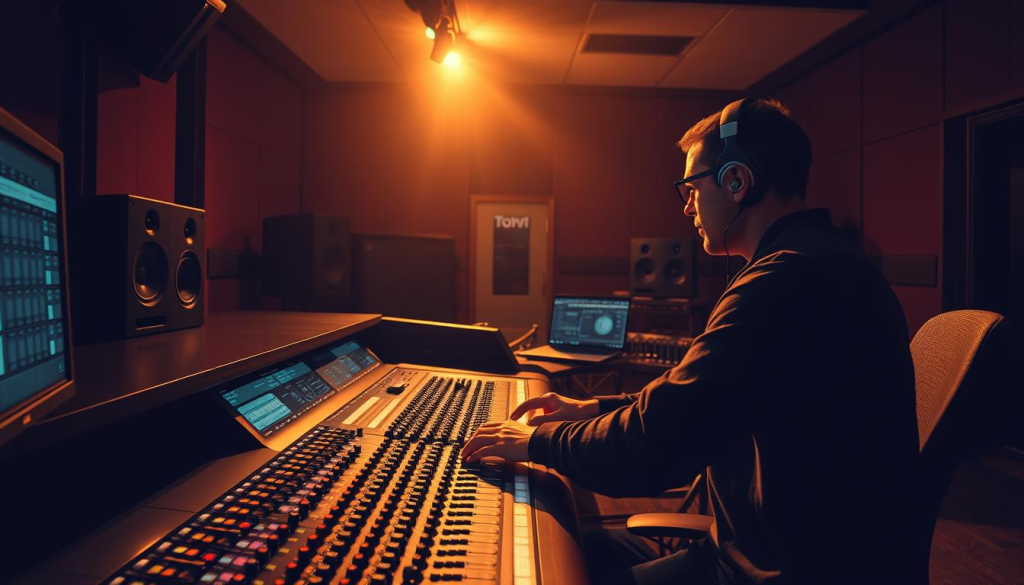
Mastering these techniques can elevate your podcast’s sound design. It makes your podcast more engaging and immersive. Whether it’s a narrative podcast or an interview show, stereo imaging can enhance the atmosphere.
Step-by-Step Guide to Panning in Your DAW
To make your podcast sound better, learning panning in your DAW is key. Panning lets you place sounds in the stereo field. This makes your podcast more engaging for listeners.
Setting Up Tracks for Stereo Mixing
First, make sure your tracks are ready for stereo mixing. You need to set your DAW to handle stereo files. Also, check that your project’s audio settings are set to stereo. Most DAWs start with stereo, but double-check to avoid problems.
Using Pan Controls Effectively
Pan controls let you place sounds from left to right. Think about where the sound should be. For example, if you have hosts, pan their voices to match their positions. Good panning makes the sound feel more real.
Automating Panning for Dynamic Movement
Automating panning can make your podcast more exciting. It makes sounds seem to move in the stereo field. This is great for sound effects and makes listening more fun. To automate, create automation lanes and draw in the pan movements.
By following these steps and trying out different panning, you can improve your podcast. Remember, the goal is to use panning subtly and with purpose. Too much panning can make it sound unnatural. So, find the right balance.
Advanced Stereo Imaging Techniques
For podcasters aiming to improve their audio, advanced stereo imaging is key. These methods can make your podcast more engaging, drawing listeners in.
Mid-side processing gives you control over the sound’s placement. You can widen or narrow the sound stage. This is great for interviews or discussions, letting you place each speaker clearly.
Using Mid-Side Processing
To use mid-side processing, you need a plugin or hardware that can handle mid-side signals. Adjusting the mid and side levels lets you change the stereo width. This makes the sound more immersive.
Stereo Widening Tools and Plugins
Stereo widening tools and plugins can also enhance your podcast’s sound. They can widen the stereo image slightly or make it more dramatic. But be careful not to overdo it, as too much can sound unnatural.
Creating Depth Through Reverb Placement
Reverb placement is vital for an immersive audio experience. By placing reverb in the stereo field, you add depth and distance. This is especially good for sound effects or ambient noises, making your podcast feel more real.
Using these advanced techniques can make your podcast more engaging. Try mid-side processing, stereo widening, and reverb placement. They’ll help you create a professional-sounding podcast that grabs listeners’ attention.
Accessibility Considerations for Stereo Podcast Content
As podcast creators, we must balance immersive audio with accessibility. Stereo imaging and panning improve the listener experience. But, we must think about our audience’s diverse needs.
Ensuring Good Mono Compatibility
Ensuring our stereo podcast content works in mono is key. This is crucial for listeners with devices that only play mono or in places where one speaker is blocked. To avoid phase issues, it’s important to prevent audio from canceling out or becoming muffled in mono.
Accommodating Listeners with Hearing Impairments
We need to think about listeners with hearing issues. Clear and consistent audio placement and panning help them follow the story better. Adding transcripts or subtitles also boosts their experience.
Platform-Specific Considerations
Different platforms handle stereo playback differently. Some might not support true stereo or may mix audio to mono. Knowing these limits helps us make content that works on various platforms.
| Platform | Stereo Support | Mono Compatibility |
|---|---|---|
| Smartphones | Yes | High |
| Smart Speakers | Limited | High |
| Podcast Apps | Yes | Variable |
Common Mistakes in Stereo Podcast Production
Stereo imaging and panning can make your podcast sound amazing. But, there are common mistakes to watch out for. When making a podcast with immersive audio, it’s easy to get carried away. Yet, some mistakes can ruin the listener’s experience.
Over-Panning and Listener Fatigue
One big mistake is over-panning. This happens when sounds are too far left or right, making listeners tired. It can make listening uncomfortable and even reduce immersion. It’s key to find a balance between a wide soundstage and a comfortable listen.
Phase Issues and How to Avoid Them
Phase issues can pop up with stereo imaging. When audio signals are out of sync, it sounds unbalanced. To dodge these problems, check your audio in both stereo and mono. This ensures your mix sounds good on any system.
Balancing Stereo Width and Clarity
Another important thing is balancing stereo width and clarity. A wide stereo image is engaging, but the audio must still be clear. Adjust the sound placement in the stereo field to keep the audio immersive and clear.
- Be mindful of over-panning to avoid listener fatigue.
- Monitor your audio in both stereo and mono to avoid phase issues.
- Balance stereo width with clarity to maintain an immersive audio environment.
Real-World Examples: Successful Immersive Podcasts
Many podcasts have used immersive audio to grab their listeners’ attention. They use stereo imaging and panning to make the experience feel real. This draws listeners into the story.
Fiction Podcasts Using Spatial Audio
Fiction podcasts lead the way in immersive audio. Shows like “Welcome to Night Vale” create a rich atmosphere with spatial audio. Sound effects and music are placed to build a vivid world.
Interview Shows with Effective Stereo Imaging
Interview podcasts also benefit from stereo imaging. “The Tim Ferriss Show” places guests and hosts in different spots. This makes the conversation feel more natural and engaging.
Documentary-Style Productions with Immersive Sound
Documentary podcasts like “S-Town” use sound to take listeners on a journey. They place sound effects and music to enhance the story. This creates a deep, immersive experience.
| Podcast | Immersive Technique | Effect on Listener Experience |
|---|---|---|
| Welcome to Night Vale | Spatial Audio | Enhanced atmosphere and immersion |
| The Tim Ferriss Show | Stereo Imaging | More natural conversation flow |
| S-Town | Immersive Sound Design | Transportive narrative experience |
Conclusion
In this article, we’ve seen how panning and stereo imaging can make your podcast better. By learning about stereo sound and using the right tools, you can make your audio more engaging. This makes your podcast more immersive and fun for listeners.
Using panning, you can place sounds and speakers in a way that feels real. This makes your podcast feel like a real-life story. Adding stereo imaging makes your podcast even more interactive and engaging.
Keep trying new things with panning and stereo imaging in your podcast. This will make your audio more exciting and unique. It will also make your podcast stand out in a crowded field.