

Exploring Foley art opens up new ways to make your podcast stand out. It adds realistic audio that draws listeners in and makes your story feel real.
With sound effects and ambient noises, you can take your listeners on a journey. It’s not just about hearing; it’s about feeling like they’re part of the story. This makes your podcast more fun and engaging.
Key Takeaways
- Create a more immersive experience with realistic audio.
- Use Foley art to add depth to your narrative.
- Enhance listener engagement with ambient noises.
- Elevate your podcast’s storytelling with sound effects.
- Stay within budget while creating high-quality audio.
What is Foley Art and Why It Matters for Your Podcast
Foley art is a big deal for podcasters who want to improve their stories. It started in movies, adding depth and detail. In podcasting, it makes the listening experience more real and engaging.
The Origin and Purpose of Foley Art
Foley art comes from Jack Foley, a sound expert from the early cinema days. Its main goal is to add sound effects that match the story. This makes podcasts more exciting and real for listeners.
How Sound Effects Enhance Listener Experience
Sound effects are key to keeping listeners hooked and believing the story. Sound design tips often talk about how Foley art can pull you into the story. It makes the podcast feel more alive and interesting.
Experts say Foley art is more than just adding sounds. It’s about creating a world that listeners can step into. Learning Foley art can make your podcast stand out and leave a lasting impression.
Essential Budget-Friendly Equipment for DIY Sound Effects
Creating professional-sounding effects doesn’t have to cost a lot. It’s all about being smart with what you have. You don’t need expensive gear to make great sound effects for your podcast.
Basic Recording Devices That Won’t Break the Bank
There are many affordable ways to record sound effects. You might even have the right tool already.
Smartphone Recording Options
Your smartphone can be a great tool for recording. With a good microphone and app, you can capture many sounds. Apps like Field Recorder or TapeACall make editing easy.
Affordable Portable Recorders
For a dedicated recorder, there are many cheap options. Devices like the Zoom H4n or Tascam DR-40 record well without costing a lot.
Microphones Under $100 for Foley Recording
For Foley recording, a good microphone is key. You don’t have to spend a lot. Microphones like the Blue Yeti or Rode NT-USB are under $100 and sound great.
Household Items That Double as Sound Props
Using everyday items as sound props is a great part of DIY sound effects. Objects like pots and pans can make all sorts of sounds. Get creative and find the perfect sound for your podcast.
Setting Up My Home Foley Studio on a Budget
You can make a professional Foley studio at home with simple tools and DIY skills. Setting up a home Foley studio doesn’t have to cost a lot. With a bit of creativity, you can get great results.
Creating a Treated Recording Space
The first thing to do is make a treated recording space. This means cutting down echo and sound reflections in the room. DIY sound absorption solutions are a good way to do this.
DIY Sound Absorption Solutions
You can make your own sound absorption panels. Use materials like acoustic foam, fabric, and Owens Corning 703. Place these panels around your recording space to cut down on echo and improve sound. For budget recording, these DIY panels are very helpful.
| Material | Cost | Effectiveness |
|---|---|---|
| Acoustic Foam | $20-$50 | High |
| Fabric-Wrapped Panels | $10-$30 | Medium |
| Owens Corning 703 | $30-$60 | High |
Organizing Your Sound-Making Props
It’s important to organize your sound-making props well. Group your props by type, like footsteps, clothing, and environmental sounds. This makes recording faster.
Optimizing Your Recording Environment
To get the best sound, think about where to put your microphone and your props. Try different microphone spots to find the best sound. Also, use sound design tips to make your recordings better, like adjusting levels and using noise reduction.
By following these steps, you can set up a home Foley studio on a budget. With time and effort, you’ll be able to make high-quality sound effects for your podcast.
Understanding Podcast Sound Design Fundamentals
As a podcaster, knowing the basics of sound design can make your show sound better. Good sound design isn’t just about adding cool effects. It’s about weaving a story that grabs your listeners.
The Role of Sound Effects in Storytelling
Sound effects are key in storytelling. They add depth and context to your story. For example, realistic audio makes scenes feel real, pulling listeners into your world.
Balancing Effects with Voice and Music
It’s important to balance sound effects with voice and music. Too many effects can drown out the story, while too few make it dull. The aim is to find a sweet spot where the story shines without being overshadowed. Sound design tips often stress the need for subtlety in achieving this balance.
Creating a Sonic Palette for Your Show
Building a sonic palette means picking sounds that match your podcast’s vibe and tone. This might include special Foley art techniques to create unique sounds. Keeping your sound design consistent helps your podcast stand out.
| Sound Element | Purpose | Example |
|---|---|---|
| Sound Effects | Adds depth and context | Footsteps, door creaks |
| Voice | Conveys narrative | Interviews, dialogue |
| Music | Sets tone and atmosphere | Intro/outro music, background scores |
Step-by-Step Guide to Recording Basic Foley Effects
In this guide, I’ll show you how to record basic Foley effects for your podcast. Making realistic sound effects on a budget needs focus and the right methods.
Proper Microphone Placement Techniques
Getting high-quality sound effects starts with the right mic placement. Try different mic spots to get the best sound for your effect. For instance, a mic close to a surface can pick up detailed textures. DIY sound effects often need creative mic placement.
Capturing Clean Recordings
It’s key to get clean recordings for professional Foley effects. This means reducing background noise and recording in a quiet spot. Use soundproofing or record in a quiet room to achieve this.
Monitoring Levels and Avoiding Clipping
When recording, watch your levels to avoid clipping. Clipping happens when the signal is too strong, causing distortion. Keep an eye on your levels and adjust your gain as needed. This is a vital budget recording tip for professional-sounding effects.
Real-time vs. Post-Production Effects
You can add sound effects to your podcast in two ways: real-time or post-production. Real-time effects are recorded live, while post-production effects are added later. Choose based on your needs and workflow. Think about the sound design tips that fit your podcast’s style and genre.
By following these steps and tips, you can make high-quality Foley effects for your podcast. Remember, the secret to great sound design is to experiment and practice.
DIY Techniques for Common Podcast Sound Effects
You can make cool sound effects for your podcast with simple stuff. It makes your podcast sound better and more professional.
Creating Convincing Footsteps and Movement
Footsteps are a big part of podcasts. You need different shoes and surfaces to get it right. Try wood, gravel, or carpet to see what works.
Different Surfaces and Shoe Types
The sound of footsteps changes with shoes and surfaces. High heels on wood sound different than sneakers on gravel. Try out different shoes and surfaces to find the right sound for your podcast.
Simulating Weather and Environmental Sounds
Weather and environmental sounds set the mood. You can make these sounds with things you have at home.
Rain, Wind, and Thunder Techniques
To make rain, use rice or sand on a metal sheet. Wind sounds come from a fan or plastic bags. Thunder is made by shaking metal or using a thunder drum. These tricks can make your podcast feel more real.
Crafting Everyday Object Sounds
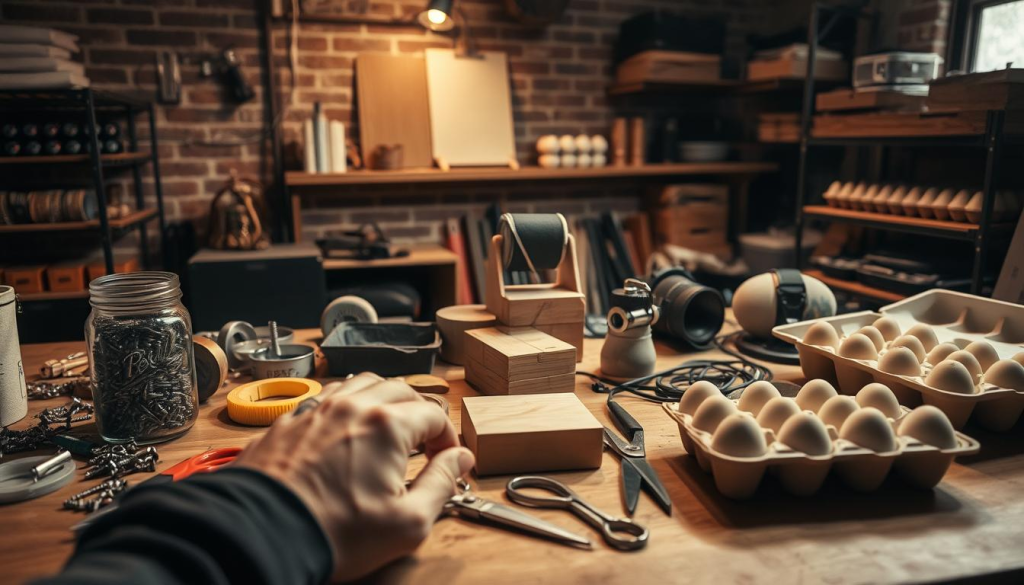
Use everyday things to make sound effects. Doors, utensils, or crumpling paper can make your podcast sound better. Be creative with what you have.
Generating Dramatic Impact Sounds
For big sounds like punches or crashes, mix different objects. A punch can be a steak hit, or a crash is a heavy object dropped. Try different things to get the sound you want.
Using these DIY sound effects can make your podcast more fun and real. It makes listeners feel like they’re part of the story.
My Favorite Advanced Foley Techniques for Specific Podcast Genres
Advanced Foley techniques can make your podcast stand out, whether it’s fiction or documentary. Tailoring your sound design to your genre makes the experience more immersive for listeners.
Sound Design for Fiction and Audio Drama
In fiction and audio drama, we aim to take listeners into the story. I use advanced Foley to create real environments and character sounds. For example, combining different textures can make scenes like a busy market or a dense forest feel real.
Layering sounds is crucial. To make a street feel alive, I layer footsteps, murmurs, and car noises. Each sound is recorded and edited for clarity and realism.
Subtle Effects for Interview and Conversational Shows
Interview and conversational podcasts need subtlety. The goal is to improve the listening experience without interrupting the conversation. I add soft, ambient sounds to create a cozy atmosphere. For instance, a gentle breeze or the hum of a coffee shop can make the talk feel more natural.
Minimalist sound design is essential here. It’s about finding the right mix where effects support the story without overwhelming it. This might include using reverb or subtle background noises to add depth.
Creating Immersive Environments for Documentary-Style Podcasts
Documentary-style podcasts need immersive soundscapes to transport listeners. Advanced Foley techniques can bring historical events or natural environments to life. For example, to recreate a battle scene, I layer weapon sounds, horse noises, and environmental ambiance.
Field recordings are key for documentary podcasts. They add a real touch that studio recordings can’t match. These recordings are then edited and mixed to fit the story.
By using these advanced Foley techniques, podcasters can greatly improve their shows. They create more engaging and immersive experiences for their listeners.
Processing and Editing Your Foley Recordings
The magic happens in post-production. Here, you process and edit your Foley recordings to create an immersive audio experience. With the right techniques and tools, you can turn raw recordings into polished sound effects. These sound effects will elevate your podcast.
Essential Free Audio Editing Software for Beginners
If you’re on a tight budget, there are free audio editing software options. Audacity is a favorite among podcasters. It has a user-friendly interface and many features for editing and processing audio. Ocenaudio is another option. It offers advanced editing capabilities and effects processing.
Basic Effects Processing Techniques
There are key techniques for processing your Foley recordings. You’ll need to adjust EQ to balance frequencies, use compression to control dynamics, and apply reverb to create space.
EQ, Compression, and Reverb Basics
EQ helps balance your recordings’ tone. It boosts or cuts specific frequencies for the right sound. Compression reduces audio dynamics, making loud sounds softer and quiet sounds louder. Reverb adds ambiance, simulating different environments.
Cleaning Up and Enhancing Recorded Sounds
Cleaning up your recordings means removing unwanted noise and enhancing the desired sounds. Use noise reduction tools and careful editing for this. By doing so, you can greatly improve your DIY sound effects. They’ll become more engaging and professional-sounding for your listeners.
Integrating Sound Effects Into Your Podcast Workflow
To make your podcast sound better, you need to add sound effects right. It’s not just about adding sounds. It’s about making them fit the story and grab the listener’s attention. Learning how to use sound effects well can really boost your podcast’s quality.
Organizing Your Sound Effect Library
Having a tidy sound effect library is key for making podcasts smoothly. I sort my sounds into folders like ambiance, FX, and Foley. This helps me find the perfect sound quickly.
Efficient Placement in Your DAW
After organizing, it’s time to put sounds in your digital audio workstation (DAW). I keep sound effects on a separate track from voice. This makes it simpler to adjust levels and add effects.
Balancing Levels Between Voice and Effects
Getting the right mix of voice and sound effects is vital. Sound effects should add to the voice, not drown it out. A good starting point is to mix sound effects 6-12 dB below the voice.
| Sound Type | Recommended Level | Notes |
|---|---|---|
| Voice | -12 dB to -6 dB | Primary focus |
| Sound Effects | -18 dB to -12 dB | Secondary, supports voice |
| Background Ambiance | -24 dB to -18 dB | Subtle, enhances atmosphere |
Common Foley Mistakes I’ve Made and How You Can Avoid Them
In my time with Foley art, I’ve hit a few common pitfalls. These can either make or break your podcast’s sound. When working with DIY sound effects on a tight budget, it’s key to steer clear of these mistakes. This way, you can create an audio experience that pulls listeners in.
Overusing Effects and Creating Distractions
One big mistake is using too many sound effects. This can pull listeners away from the story. To fix this, use effects wisely. Focus on the sounds that really add to the story.
Poor Timing and Placement Issues
Timing is crucial in sound design. If timing is off, it can mess up your podcast’s flow. Make sure your sound effects match up with what’s happening in the story or dialogue.
Technical Problems and Their Solutions
Technical issues, like equipment noise or bad recording quality, can ruin your sound design. To solve this, get good recording gear. Also, learn the basics of editing to clean up your recordings.
| Common Mistake | Solution |
|---|---|
| Overusing sound effects | Use effects judiciously, focus on key sounds |
| Poor timing | Synchronize effects with action or dialogue |
| Technical issues | Invest in quality equipment, learn basic editing |
Knowing these common Foley mistakes and how to avoid them can greatly enhance your podcast’s sound. You can do this on a budget.
Free and Low-Cost Resources for Podcast Sound Designers
As a podcaster, I’ve found many free and low-cost resources for sound effects. It’s key to know where to find them to improve your show’s sound without spending a lot.
Sound Effect Libraries and Databases
Finding the right sound effects can be tough. Luckily, there are many free and affordable libraries and databases. Some top picks include:
- Freesound.org: A place where you can find creative-commons licensed sounds.
- SoundBible.com: It has a big collection of free sound effects.
- AudioJungle.net: A site with affordable sound effects and royalty-free music.
These resources can really help podcasters improve their sound design without spending too much.
Learning Materials and Communities
Getting better at sound design is just as important as having the right tools. I’ve found some great learning materials and communities:
“The art of sound design is not just about creating noise, it’s about creating an atmosphere that draws the listener in.” –
- YouTube tutorials: Many sound designers share their skills on YouTube.
- Podcast Sound Design groups on Facebook: A place where podcasters share tips and resources.
- Reddit’s r/WeAreTheMusicMakers: A community for music production and sound design.
Software and Tools for Budget-Conscious Creators
There are many affordable software and tools out there. Here are some of my favorites:
| Software/Tool | Description | Cost |
|---|---|---|
| Audacity | Free, open-source audio editing software | Free |
| Adobe Audition | Professional audio editing software | $20.99/month |
| Reaper | DAW software with a free trial, then low-cost license | $60 (discounted license) |
By using these free and low-cost resources, podcasters can greatly improve their sound design without spending a lot.
Conclusion: Elevating Your Podcast Through Thoughtful Sound Design
Incorporating realistic audio through Foley art can greatly improve your podcast. By learning about sound design and using affordable methods, you can make your podcast stand out. This will grab your listeners’ attention.
Good sound design does more than add effects. It creates a world that fits your story perfectly. By trying out DIY sound effects and improving your recording space, you can get great results without spending a lot.
Try out the sound design tips and Foley art techniques we talked about in your podcast. With time and creativity, you can make a sound that’s all your own. This will not only make your podcast better but also make a big impact on your listeners.