

As a podcaster, delivering high-quality audio is key. The right audio cables are essential for your setup. The type of cables and connectors used greatly affects your audio’s quality.
I will explain the basics of XLR, TRS, and TS cables. This will help you know which ones you need and how to use them. This will improve your setup and make your audio sound professional.
Key Takeaways
- Understand the differences between XLR, TRS, and TS cables.
- Learn how to choose the right cables for your podcasting needs.
- Discover how to use audio cables effectively for high-quality audio.
- Upgrade your podcasting setup with the right connectors.
- Ensure professional-sounding audio with the correct cable usage.
The Fundamentals of Audio Cables for Quality Podcasting
For podcasters, knowing about audio cables is key to great sound. The cable type greatly affects your podcast’s sound quality. I’ll explain why signal quality matters and the differences between balanced and unbalanced cables.
How Signal Quality Affects Your Podcast
Signal quality is essential in podcasting. It makes sure your audio is clear and noise-free. Signal integrity depends on the cable type, with some being more prone to interference. Choosing the right cable for your audio setup can greatly improve your podcast’s quality.
Balanced vs. Unbalanced: What You Need to Know
The main difference between balanced cables and unbalanced cables is how they handle noise and interference. Balanced cables, like XLR, offer a cleaner signal by rejecting electromagnetic interference.
Identifying Balanced and Unbalanced Cables
Balanced cables have three conductors: a positive signal, a negative signal, and a ground. Unbalanced cables have only two: a signal and a ground. It’s important to know the difference for a proper audio setup.
When Each Type Is Necessary
Balanced cables are best for professional use and long cable runs, where signal quality is crucial. Unbalanced cables work well for short connections and simple setups, like connecting instruments to a mixer or interface.
XLR Cables: The Professional Standard for Podcasters
For podcasters, XLR cables are the top choice for quality audio. They are known for their reliability, durability, and clear signal.
How to Identify and Use XLR Connections
Finding XLR connections is easy once you know what to look for. They have a strong design and three or more pins.
Male vs. Female Connectors
XLR connectors have male and female types. The male goes on the output device, like a microphone. The female goes on the input device, like a mixer.
Pin Configuration and Function
The XLR connector has three pins. Pin 1 is ground, Pin 2 is positive, and Pin 3 is negative. This setup helps reduce noise and interference.
Step-by-Step Guide to Connecting XLR Equipment
Connecting XLR equipment is simple:
- Make sure your devices are off to avoid signal spikes.
- Plug the male XLR into the output device (like a microphone).
- Plug the female XLR into the input device (like a mixer).
- Turn on your devices and check the connection.
Why XLR Delivers Superior Audio Quality
XLR cables offer top-notch audio quality. Their balanced design cuts down on electromagnetic interference and noise. A pro audio engineer says, “XLR cables are a must for podcasters wanting studio-quality sound.”
“The clarity and reliability of XLR cables in a recording setup are unmatched. They’re a key tool for any serious podcaster.”
| Connector Type | Typical Use | Signal Type |
|---|---|---|
| Male XLR | Output Device (Microphone) | Balanced |
| Female XLR | Input Device (Mixer/Audio Interface) | Balanced |
TRS Cables: Maximizing Versatility in Your Setup
Understanding TRS cables is key to unlocking your podcasting equipment’s full potential. TRS, or Tip-Ring-Sleeve, cables are incredibly versatile. They can handle a variety of tasks, from connecting headphones to managing line-level connections.
Decoding the TRS Connector (Tip-Ring-Sleeve)
The TRS connector has three distinct parts: the tip, ring, and sleeve. Each part plays a crucial role in the signal path.
Visual Identification Guide
To identify a TRS connector, look for three distinct sections. The tip is the front section, followed by the ring, and then the sleeve at the base.
The tip carries the left audio channel or the positive signal. The ring carries the right audio channel or the negative signal. The sleeve serves as the ground.
How to Connect TRS Cables Properly
To connect TRS cables correctly, ensure you’re matching the connector to the appropriate port. For instance, using a TRS cable with headphones requires a TRS output on your device.
- Check the device’s output to determine if it requires a TRS or TRRS connection.
- For line-level connections, ensure both devices are set to the appropriate levels.
TRS vs. TRRS: Making the Right Choice
The key difference between TRS and TRRS connectors lies in their application. TRS is typically used for stereo audio. TRRS is often used for headphones with microphones, incorporating an additional ring for the microphone signal.
When choosing between TRS and TRRS, consider the device you’re connecting to. For headphones without a microphone, TRS is usually sufficient. However, for smartphones or devices that require a microphone input, TRRS is the better choice.
TS Cables: When and How to Use Them
TS cables have their good and bad sides. Knowing when to use them can greatly improve your podcast’s sound. As a podcaster, it’s key to understand how TS cables fit into your setup for top-notch audio.
Understanding TS Cable Limitations and Strengths
TS, or Tip-Sleeve, cables are unbalanced cables used for instruments and simple devices. They’re easy to use but have limits, especially over long distances.
TS cables work well with many devices, from guitars to older audio gear. But, they can pick up signal degradation and interference easily.
Connecting Instruments and Simple Devices
TS cables are perfect for linking instruments like guitars and keyboards to your mixer or audio interface. They’re also good for simple devices that don’t need balanced audio connections.
Troubleshooting Common TS Issues
TS cables often bring hum and buzz into your audio. This can happen if they’re not grounded right or if other devices interfere.
Eliminating Hum and Buzz
To get rid of hum and buzz, first check your cables for wear or damage. Make sure all connections are tight and secure.
Proper Grounding Techniques
Good grounding is key to reducing noise in your audio setup. Ensure your gear is grounded correctly. If hum persists, try using ground lift adapters.
By knowing the good and bad of TS cables and how to fix common issues, you can make sure your podcast sounds great.
Essential Podcast Equipment: Building Your Cable Arsenal
To make your podcast sound professional, knowing about different cables is key. Building a good cable collection is crucial for your podcast setup. You need to know what your microphones, interfaces, and mixers need.
Matching Cables to Different Microphone Types
Each microphone needs its own cable type. Knowing this is important for the best sound.
Dynamic Microphone Connections
Dynamic microphones use XLR cables. These cables offer a balanced connection, which cuts down on noise and interference. For instance, the Shure SM7B, a favorite dynamic mic, connects via XLR for top-notch audio.
Condenser Microphone Requirements
Condenser mics need phantom power, which comes through an XLR cable. Make sure your mixer or interface can give phantom power for mics like the Rode NT1-A.
Interface and Mixer Connectivity Guide
Connecting your mics to interfaces and mixers needs the right cables. XLR cables are top choices for their dependability and sound quality. Knowing what your interface or mixer needs is essential for proper setup.
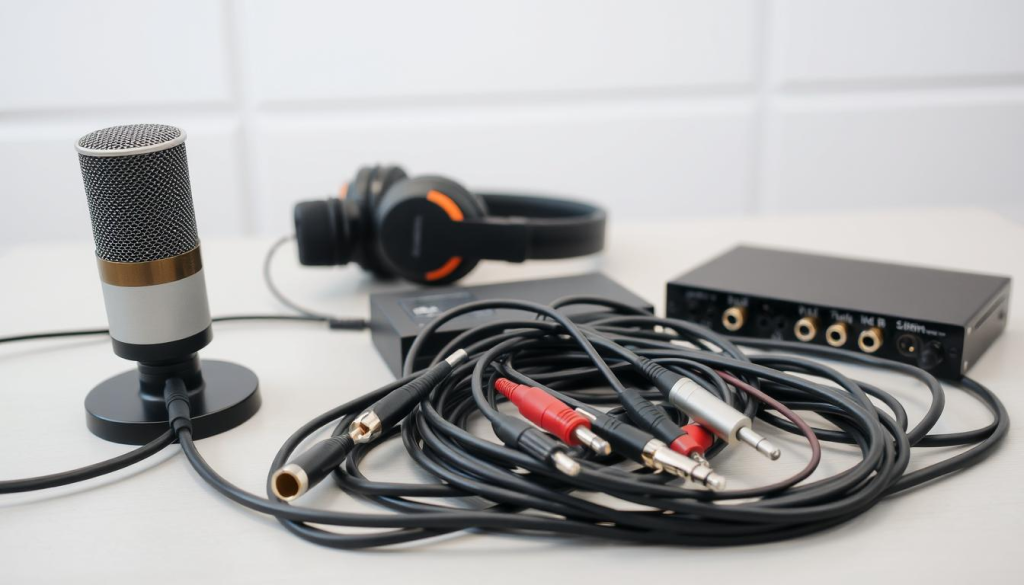
Creating a Versatile Cable Collection
A good cable collection has XLR, TRS, and TS cables. Having the right cables lets you handle different recording setups. It’s smart to have adapters and converters too, for compatibility with various devices.
Understanding your equipment’s needs and building a solid cable collection ensures your podcast sounds great.
Preventing Signal Degradation: A Step-by-Step Approach
Keeping your podcast audio quality high starts with preventing signal degradation. This issue can make your audio sound bad. By following a few steps, you can find and fix problems.
Identifying and Eliminating Interference Sources
Interference is a big cause of signal problems. It can come from other devices and bad cables. To fight it, find where it’s coming from. Check your cables and make sure they’re shielded well.
How to Test for Ground Loop Issues
Ground loops can also mess up your signal. They happen when there are too many paths to ground. Use a multimeter to find voltage differences in your setup. If you see voltage, you have a ground loop problem.
Proper Cable Routing Techniques
Good cable routing is key for clear signals. This means keeping power and audio lines apart and choosing the right cable lengths.
Separating Power and Audio Lines
Keeping power and audio cables apart stops EMI. Running them together can hurt your signal. Make sure power cables are far from audio ones.
Optimal Cable Length Considerations
Long cables can cause signal loss because of resistance. Short cables might not reach, straining connections. Measure your setup and use cables just the right length.
| Cable Type | Optimal Length | Signal Integrity Impact |
|---|---|---|
| XLR | Up to 100 feet | High |
| TRS | Up to 50 feet | Medium |
| TS | Up to 20 feet | Low |
By following these steps, you can greatly improve your podcast’s audio quality. This ensures your listeners get the best sound possible.
Solving Compatibility Problems with Adapters
Adapters are key in podcasting, helping you connect devices that don’t seem to match. As a podcaster, you might face issues where your gear doesn’t fit perfectly. But, the right adapters can solve these problems.
Essential Adapters Every Podcaster Should Own
Having the right adapters can greatly improve your podcasting setup. For example, XLR to USB adapters are vital for linking your mic to your computer. It’s wise to have one XLR to USB adapter ready. It makes recording top-notch audio easy.
How to Connect XLR Microphones to USB Interfaces
Connecting an XLR mic to a USB interface is common for podcasters. You need an XLR cable and a USB interface that takes XLR inputs. Just plug your XLR mic into the USB interface with an XLR cable, then connect the USB to your computer.
Using Direct Boxes for Instrument Recording
Direct boxes (DI boxes) are essential for recording instruments. They change the high impedance signal from your instrument into a low impedance signal. This is good for your mixer or recording device. There are passive and active DI boxes.
Passive vs. Active DI Boxes
Passive DI boxes are simple and don’t need power. Active DI boxes have more gain and better quality but need power. Your choice depends on your needs and the instrument you’re recording.
Connection Diagrams and Setup
Setting up a DI box is easy. Connect your instrument to the DI box with a TS or TRS cable. Then, link the DI box to your mixer or recording device with an XLR cable. A good setup is crucial for great sound. Make sure your connections are tight and levels are right.
Professional Cable Management for Your Studio
Organizing your studio’s cables is more than just making it look good. It’s also about keeping your equipment safe and working well. A tidy cable system makes your studio run smoothly and efficiently.
Setting Up an Organized Cable System
To keep your studio tidy, start with a plan for cable management. This plan should include a few important steps.
Labeling Strategies
It’s key to label your cables so you can tell them apart easily. Use labels that are clear and tell you what the cable is for or where it goes.
Cable Wrapping Techniques
Wrapping your cables right helps avoid tangles and damage. Use velcro straps or cable ties to keep them neat and in place.
Preventing Cable Damage and Extending Lifespan
Check your cables often for any signs of wear. If you find any damage, replace the cables right away. This helps keep your signals strong.
Creating a Clean, Professional Setup
A clean studio looks great and helps you work better. Think about how you arrange your equipment and cables to keep things neat.
| Cable Management Tip | Benefit |
|---|---|
| Labeling Cables | Easy identification and troubleshooting |
| Cable Wrapping | Prevents tangles and damage |
| Regular Inspection | Extends cable lifespan and prevents signal degradation |
Using these cable management tips will help you keep your studio looking and working great.
Diagnosing and Fixing Common Cable Problems
Knowing how to find and fix cable problems is key for podcasters. Even with good care, cables can still fail or get damaged. This can cause big problems during recording.
How to Test Cables for Continuity and Shorts
To check cables for continuity and shorts, you need a multimeter. This tool helps see if the signal can travel through the cable. Set your multimeter to the continuity test mode and connect the probes to the cable’s ends. If it beeps, it means there’s continuity. For shorts, test between each pin and the shielding; a beep means there’s a short.
Identifying Connection Issues by Sound
Cable problems can also be heard during recording. Intermittent signal issues might cause crackling or dropouts. Channel imbalance can make audio levels uneven between channels.
Intermittent Signal Problems
If you have intermittent signal problems, try wiggling the cable while listening. If it doesn’t help, look for visible damage or swap it with a good cable.
Channel Imbalance Issues
For channel imbalance, make sure cables are plugged in right. Also, check your equipment settings and use the right cable type.
Basic Cable Repair Techniques
For small damage, you can fix cables yourself. Re-soldering loose connections or replacing damaged connectors can solve many problems. But, if the damage is big, it might be better to get a new cable.
Conclusion: Elevating Your Podcast with the Right Connections
Getting the right podcast equipment is key for top-notch audio. Knowing the difference between XLR, TRS, and TS cables helps a lot. It lets you improve your podcast’s sound.
Professional connections are vital for a polished podcast. The right cables and connectors ensure your audio is clear and strong. Keeping your cables organized also helps keep your studio tidy.
This article’s tips will help you choose the best equipment and set up your studio. With these steps, your podcast will sound better and more professional. Remember, the right connections are crucial for a great podcast that grabs your listeners’ attention.