

As an aspiring podcaster, you know that good audio quality is key to keeping your listeners engaged. Investing in a quality microphone is a big step.
USB microphones are a hit among podcasters because they’re easy to use and cheap. They’re great for beginners because they’re simple to set up and plug-and-play.
To start, you’ll need some affordable podcast equipment. This includes a beginner microphone, headphones, and recording software. With these basics, you can create content that your listeners will love.
Key Takeaways
- Good audio quality is essential for podcast success.
- USB microphones are a convenient and affordable option.
- Simple setup and plug-and-play functionality make them ideal for beginners.
- Investing in a quality microphone is a crucial step for aspiring podcasters.
- Additional equipment needed includes headphones and recording software.
Why Quality Audio Matters for Your Podcast Success
High-quality audio is essential for podcasters. It’s not just a nice-to-have. It’s a must-have for keeping your listeners engaged and coming back for more. The quality of your podcast’s audio plays a big role in this.
The Impact of Audio Quality on Listener Retention
Poor audio quality can really turn off listeners. If your podcast has background noise, distortion, or is too quiet, it’s hard for people to stay interested. But, good audio quality makes your show more enjoyable and professional.
Studies show that podcasts with great audio keep listeners longer. People are more likely to stick with a show that sounds well-produced.
Common Audio Issues That Drive Listeners Away
Several audio problems can lose listeners fast. These include background noise, echo, and distortion. These issues are often a problem when recording at home or with low-quality gear.
To fix these problems, consider getting affordable podcast equipment. Simple steps like using a pop filter, finding a quiet spot, and tweaking your mic settings can make a big difference. These actions can greatly improve your podcast’s sound.
By focusing on audio quality and solving common issues, you can make a podcast that keeps listeners hooked. This will help your show grow and attract more fans.
Budget-Friendly USB Microphones for Aspiring Podcasters: Essential Podcast Equipment Guide
Starting a podcast? Good audio equipment is key. A USB microphone is a must-have. They’re easy to use, sound great, and won’t break the bank.
For beginners, finding affordable podcast equipment is important. A budget USB mic can greatly improve your podcast’s sound. You’ll also need headphones and recording software.
Finding the right beginner microphones can be tough. But with the right advice, you can find one that fits your needs and budget.
Key Takeaways
- Investing in a good quality USB microphone is crucial for podcast success.
- Affordable podcast equipment is available for those on a budget.
- Essential equipment includes a microphone, headphones, and recording software.
- Choosing the right beginner microphone can enhance your podcast’s audio quality.
- Researching and comparing different budget USB mics is key to finding the best fit.
Why Quality Audio Matters for Your Podcast Success
High-quality audio is key for any successful podcast. It’s important for podcasters to invest in good equipment. Good audio quality can make a big difference in keeping listeners interested.
The Impact of Audio Quality on Listener Retention
Bad audio quality can make listeners stop listening. Background noise, distortion, and low volume are big turn-offs. But clear and crisp audio keeps listeners hooked.
Common Audio Issues That Drive Listeners Away
Issues like echoey recordings, hiss, and inconsistent volume levels can lose listeners. Using the right equipment and techniques can solve these problems. For example, a budget-friendly USB microphone can greatly improve sound quality.
Understanding the importance of good audio quality is crucial. By improving it, podcasters can keep listeners coming back. This leads to greater success in podcasting.
Understanding USB Microphones as Essential Podcast Equipment
USB microphones are key in podcasting because they’re easy to use and record clear audio. It’s important to know about their technical details and how they compare to other microphones.
USB vs. XLR Microphones: Pros and Cons for Beginners
USB microphones plug right into your computer, making them simple to use. XLR microphones need an audio interface, which can be scary for newbies. But, XLR microphones can offer better sound quality with the right equipment.
- USB Microphones: Easy to set up, plug-and-play functionality, great for beginners.
- XLR Microphones: More versatile, higher sound quality potential, but require additional equipment.
Key Technical Specifications to Understand
When picking a USB microphone, look at these specs:
- Sample Rate: Shows how often audio is recorded. Common rates are 44.1 kHz and 48 kHz.
- Bit Depth: Affects audio quality. 16-bit and 24-bit are common depths.
Polar Patterns and Why They Matter for Podcasting
The polar pattern of a microphone shows how it picks up sound. Common patterns include:
- Cardioid: Picks up sound from the front, ignoring noise from the sides and back.
- Omnidirectional: Catches sound from all directions, good for a wider audio field.
Knowing these patterns helps you set up your recording for the best sound.
How to Establish Your Microphone Budget
Setting your microphone budget involves looking at several factors. You need to think about your current needs and what you might need in the future. As a podcaster, you want your audio to sound clear and crisp. But, you also have to watch your spending.
Determining Your Immediate Needs vs. Future Growth
When deciding on your microphone budget, think about what you need now and what you might need later. Ask yourself, what do I need to record now, and how might my needs change? If you’re just starting, you might not need the most expensive microphone. But, as your podcast grows, you might want a better one.
Price-to-Performance Ratio Considerations
The price-to-performance ratio is key when picking a microphone. You want a microphone that sounds good but doesn’t cost too much. Look at the microphone’s frequency response, sensitivity, and how it connects.
| Microphone Model | Price | Frequency Response | Sensitivity |
|---|---|---|---|
| Blue Snowball iCE | $49.99 | 40Hz – 18kHz | 4.5 mV/Pa |
| Samson Q2U | $69.99 | 50Hz – 15kHz | 10 mV/Pa |
| Audio-Technica ATR2100x-USB | $99 | 20Hz – 20kHz | 7.9 mV/Pa |
When to Invest More and When to Save
It can be hard to know when to spend more on a microphone and when to save. Generally, if you’re serious about podcasting and want to keep making quality content, investing in a better microphone is worth it. But, if you’re just starting or on a tight budget, there are cheaper options that still sound good.
By thinking about your current needs, future plans, and the price-to-performance ratio, you can set a microphone budget that fits your podcasting goals.
Step-by-Step Guide to Selecting Your First USB Microphone
Choosing the right USB microphone for your podcast is key. It ensures your audio quality is top-notch, keeping your listeners engaged.
Assessing Your Recording Environment
First, evaluate your recording space. Think about its size, background noise, and your content type. For example, a noisy area might need a microphone that captures your voice better.
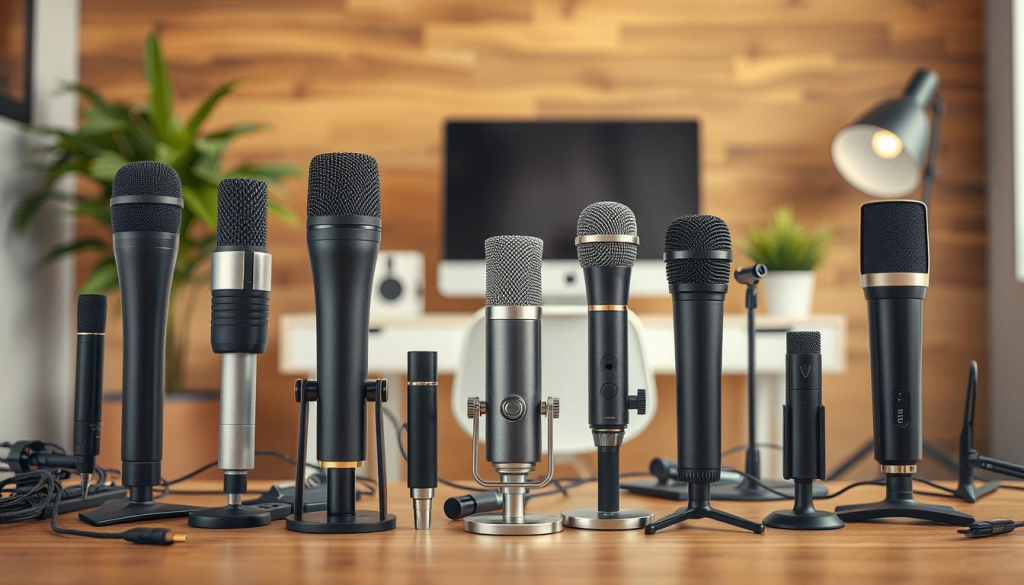
Matching Microphone Features to Your Content Style
Microphones vary for different content types. Voice-overs might need a condenser microphone. Interviews or live recordings might prefer a dynamic one.
Reading Reviews and Watching Demonstrations
Read user reviews and watch demo videos. They show the microphone’s sound quality, durability, and any problems.
| Microphone Feature | Importance for Podcasting | Considerations |
|---|---|---|
| Polar Pattern | High | Choose between cardioid, omnidirectional, or bidirectional based on your recording environment. |
| Sample Rate | Medium | Higher sample rates provide better sound quality but result in larger file sizes. |
| Connectivity | High | USB microphones offer plug-and-play convenience, but ensure compatibility with your device. |
By following these steps, you can pick the best USB microphone for your podcast.
Top 5 Budget USB Microphones Under $100
USB microphones can be hard to choose from, but I’ve picked the top 5 under $100. These are great for starting podcasting or upgrading without spending a lot. They offer great value for their price.
Blue Snowball iCE ($49.99)
The Blue Snowball iCE is loved by podcasters for its easy setup and low cost. It’s a condenser microphone that plugs right into your computer via USB.
Key Features and Performance
- Plug-and-play USB connectivity
- Condenser microphone for clear audio
- Single pickup pattern (cardioid)
- Sample rate: 44.1 kHz/16-bit
Best Use Cases
The Blue Snowball iCE is perfect for voiceovers, podcasting, and online gaming. Its small size and easy setup are great for beginners.
Samson Q2U ($69.99)
The Samson Q2U is a dynamic USB microphone great for podcasting, voiceovers, and live streaming. It has both USB and XLR outputs for more flexibility.
Key Features and Performance
- Dual USB and XLR outputs
- Dynamic microphone for robust audio
- Two pickup patterns (cardioid and omni-directional)
- Sample rate: 44.1 kHz/16-bit
Best Use Cases
The Samson Q2U is ideal for podcasters who want to record digitally and through XLR. It’s also great for live performances and public speaking.
Audio-Technica ATR2100x-USB ($99)
The Audio-Technica ATR2100x-USB connects via USB or XLR. It’s designed for podcasting, voiceovers, and live streaming, offering high-quality audio at a good price.
Key Features and Performance
- Dual USB and XLR outputs
- Cardioid polar pattern
- Frequency response: 20 Hz – 20 kHz
- Built-in headphone jack for real-time monitoring
Best Use Cases
The ATR2100x-USB is perfect for podcasters needing a reliable microphone for digital and analog recording. Its durable build and quality audio make it a smart investment.
FIFINE K669B ($35.99)
The FIFINE K669B is a budget-friendly USB microphone for beginners. It has a cardioid pickup pattern and a sampling rate of 48 kHz/16-bit.
Key Features and Performance
- Cardioid polar pattern
- 48 kHz/16-bit sampling rate
- Built-in noise reduction
- Plug-and-play USB connectivity
Best Use Cases
The FIFINE K669B is ideal for simple recording tasks like voiceovers, online meetings, and basic podcasting. Its low price makes it a great starting point for beginners.
JLab Talk GO ($49.99)
The JLab Talk GO is a compact and portable USB microphone for podcasting, voiceovers, and online conferencing. It has three polar patterns and a touch-sensitive mute button.
Key Features and Performance
- Three polar patterns (cardioid, omni, and bidirectional)
- Touch-sensitive mute button
- Sample rate: 48 kHz/16-bit
- Compact and portable design
Best Use Cases
The JLab Talk GO is perfect for podcasters needing a versatile microphone for different recording situations. Its small size makes it easy to take anywhere.
Mid-Range Options: Best USB Microphones Under $150
Podcasters looking to improve their audio without spending too much will find mid-range USB microphones perfect. These microphones offer better sound quality than cheaper options. They are great for those who want their podcast to sound professional.
Blue Yeti ($129.99)
The Blue Yeti is a favorite among podcasters. It’s versatile and records high-quality audio. It has different pickup patterns for various recording needs.
Key Features and Performance
The Blue Yeti records in 48kHz/16-bit high-resolution audio. This means your recordings will sound clear and detailed. Its multiple pickup patterns make it flexible for solo or group recordings.
Best Use Cases
The Blue Yeti is great for voice-overs, podcasting, and music recording. Its ability to switch pickup patterns makes it versatile for many uses.
HyperX QuadCast ($139.99)
The HyperX QuadCast is made for gamers and podcasters. It has a condenser capsule for crisp, clear audio. It’s easy to set up and use right away.
Key Features and Performance
The HyperX QuadCast has a built-in shock mount to reduce vibrations. It also has a tap-to-mute sensor for easy control. Its cardioid pickup pattern helps isolate your voice, reducing background noise.
Best Use Cases
This microphone is perfect for podcasting, voice-overs, and streaming. Its condenser capsule and cardioid pickup make it great for capturing high-quality vocal recordings.
Rode NT-USB Mini ($99.99)
The Rode NT-USB Mini is a compact, high-quality USB microphone. It’s perfect for podcasters who are always on the move. It has a studio-grade condenser capsule and a warm, natural sound.
Key Features and Performance
The Rode NT-USB Mini has 24-bit/48kHz resolution and a cardioid pickup pattern. This ensures clear and focused audio. Its small size makes it easy to take anywhere.
Best Use Cases
This microphone is ideal for podcasting, voice-overs, and interviews. Its small size and high-quality audio make it perfect for recording on the go.
How to Set Up Your USB Microphone for Professional Sound
To get high-quality sound from your USB microphone, you need to do more than just plug it in. Follow these steps to ensure your podcast sounds professional.
Step1: Connecting and Installing Drivers
First, connect your USB microphone to your computer and install the drivers. Most USB microphones are easy to use right away. But, make sure to check the manufacturer’s website for the latest drivers and software updates. For example, the Blue Yeti needs specific drivers for the best performance.
Step2: Configuring Your Recording Software
After connecting and installing drivers, set up your recording software. You can use Audacity or Adobe Audition. Choose your USB microphone as the input device and adjust the gain levels. Start with gain levels between -20 dB to -15 dB for the best sound.
Step3: Testing and Adjusting Input Levels
It’s important to test your input levels to avoid distortion and ensure clear audio. Speak into your microphone at your normal volume and adjust the gain until you get a healthy signal. You can use the Blue Yeti’s built-in gain control or adjust it in your recording software.
Step4: Troubleshooting Common Connection Issues
Even with a simple setup, problems can happen. Issues like buzzing or humming noises can often be fixed by checking your cable connections or moving your microphone away from interference. If problems persist, check the user manual or manufacturer’s support resources.
By following these steps, you can get professional sound from your USB microphone. This will improve your podcast’s overall quality. Remember, great audio comes from using your equipment well, not just having it.
Optimizing Your Recording Environment on a Budget
Improving your recording space is key to great audio on a budget. A good recording area can really boost your podcast’s sound.
Finding the Ideal Microphone Position
The spot where you place your microphone matters a lot. Try different spots to find the best one. For example, putting the mic off-center and a bit above or below your mouth can cut down on harsh sounds.
Implementing DIY Acoustic Treatment
You don’t have to spend a lot on acoustic treatment. DIY fixes like thick blankets, rearranging furniture, or making your own panels can really help your sound.
Minimizing Echo and Background Noise
To cut down on echo, add soft things like carpets and curtains. For less background noise, record when it’s quieter or use noise-reducing stuff.
Testing and Refining Your Setup
After adjusting your space, test it with a sample recording. Listen to see if there are any problems and tweak as needed.
By doing these things, you can make your recording space better without spending a lot. As Joe Rogan said,
“The quality of your recording is only as good as the environment you’re recording in.”
So, take the time to make your space better and improve your podcast’s sound.
Essential Accessories to Complete Your Podcast Equipment Setup
To make your podcast sound professional, you need some key accessories. These items boost your audio quality and make recording better.
Must-Have Items: Pop Filters and Windscreens
Pop filters and windscreens are vital for better sound. A pop filter softens hard sounds like “p” and “t.” A windscreen cuts down wind noise and plosives. Both are cheap but make a big difference in sound quality.
Comfort Upgrades: Microphone Stands and Boom Arms
A good microphone stand and boom arm make recording more comfortable. They help you place the mic right, easing strain and improving sound. A solid stand and flexible boom let you adjust the mic as you like.
Sound Quality Boosters: Shock Mounts and Cables
Shock mounts keep the mic steady, avoiding unwanted noise. Quality XLR cable or USB cable also boosts sound by cutting down on signal loss and interference. These small items can greatly improve your audio.
Budget-Friendly Alternatives to Expensive Accessories
You don’t need to spend a lot to get great podcast gear. Affordable options can match the quality of pricier ones. Look for cheap pop filters and third-party stands that are just as good as the big names.
| Accessory | Function | Average Cost |
|---|---|---|
| Pop Filter | Reduces plosive sounds | $10-$20 |
| Windscreen | Minimizes wind noise | $5-$15 |
| Microphone Stand | Positions microphone correctly | $20-$50 |
| Boom Arm | Enhances microphone positioning | $15-$30 |
Adding these essential accessories to your setup will greatly improve your podcast’s sound and recording experience.
Conclusion: Taking Your Podcast to the Next Level
Starting your podcasting journey? Investing in the right gear and setting up a good recording space are key. A budget-friendly USB microphone can greatly improve your audio quality. This is a crucial step in taking your podcast to the next level.
Want to do even better? Try DIY acoustic treatments and get essential accessories like pop filters and windscreens. Brands like Blue, Samson, and Audio-Technica have affordable options for professional-sounding audio.
By using these tips and improving your setup, you can make your podcast sound better. This will help you connect with your listeners more. Remember, success in podcasting is about finding the right balance between quality and creativity.